PCI Compliance Guide
EasyEats knowledge base and support documentation.
Clover Connect: SAQ P2PE User Guide
Using Clover Connect's CardPointe Integrated P2PE devices comes with a number of advantages, but one of the most important is reducing your PCI SAQ, or Self-Assessment Questionnaire. Keep reading to learn how you can access the SAQ P2PE, greatly reducing your number of questions!
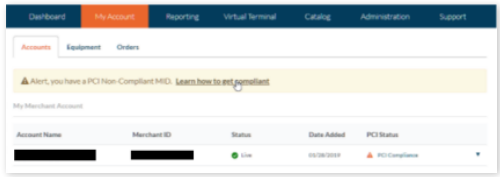
First log in to CardPointe and select My Account and the Accounts tab. You should see a yellow alert box, and then click Learn how to get compliant.
-
Select "Guide Me" to be guided through the process.
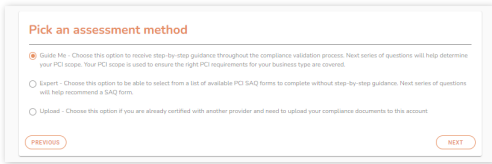
- Guide Me: Choose this option to receive step-by-step guidance throughout the compliance validation process. Next series of questions will help determine your PCI scope. Your PCI scope is used to ensure the right PCI requirements for your business type are covered.
- Expert: Choose this option to be able to select from a list of available PCI SAQ forms to complete without step-by-step guidance. Next series of questions will help recommend a SAQ form.
- Upload: Choose this option if you are already certified with another provider and need to upload your compliance documents to this account.
-
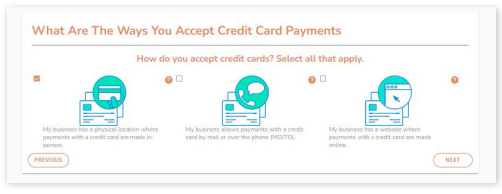 Select how you are accepting credit cards from your customers. Select all options that apply to your business:
- My business has a physical location where payments with a credit card are made in-person.
- My business allows payments with a credit card by mail or over the phone (MO/TO).
- My business has a website where payments with a credit card are made online.
-
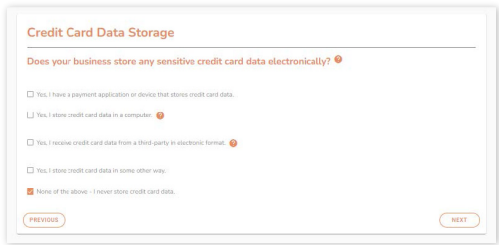 Advise if you are storing credit card data in any format. Options include:
- Yes, I have a payment application or device that stores credit card data.
- Yes, I store credit card data in a computer.
- Yes, I receive credit card data from a third-party in electronic format.
- Yes, I store credit card data in some other way.
- None of the above - I never store credit card data.
-
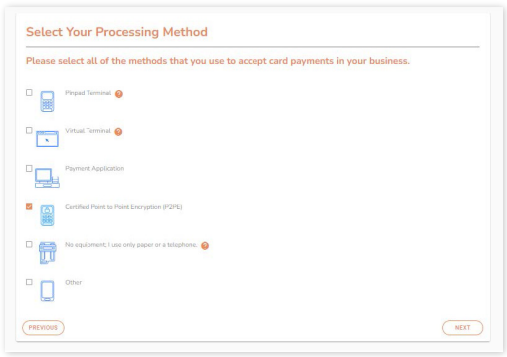 Select the type of device(s) you use to process credit cards. Choose all processing methods that apply:
- Pinpad Terminal
- Virtual Terminal
- Payment Application
- Certified Point to Point Encryption (P2PE)
- No equipment, I use only paper or a telephone.
- Other
-
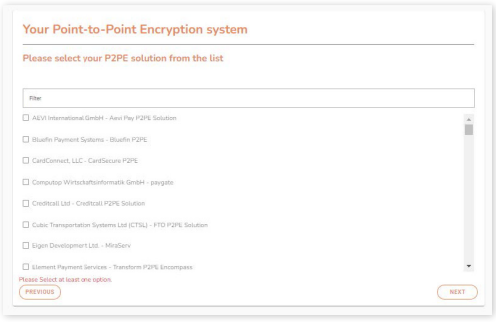
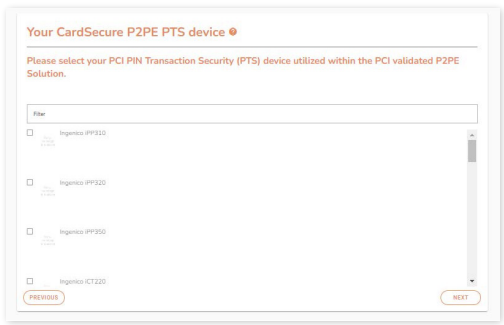
Continue through the questions regarding your device(s).
- Select your P2PE solution from the list (Choose: CardConnect, LLC - CardSecure P2PE).
- Select your PCI PIN Transaction Security (PTS) device utilized within the PCI validated P2PE Solution (e.g., Ingenico iPP310, iPP320, iPP350, iCT220).
-
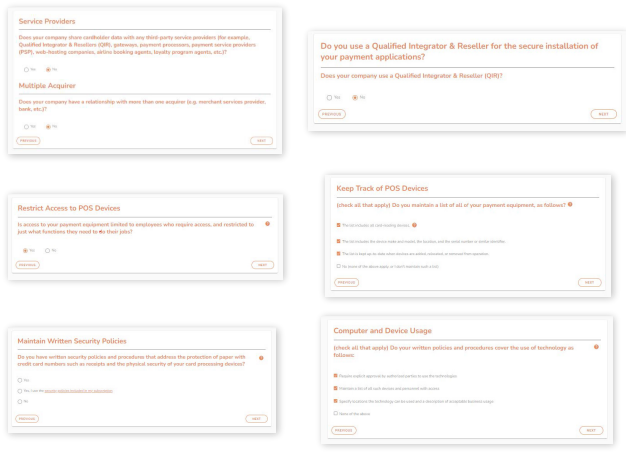
Pre-fill your Self-Assessment Questionnaire. You will be guided through a series of environment questions (Service Providers, Multiple Acquirers, Restrict Access to POS Devices, Keep Track of POS Devices, Maintain Written Security Policies, Computer and Device Usage). You can always access additional information by clicking the orange circle next to each question.
-
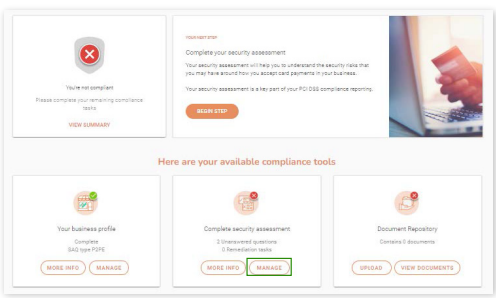 Navigate to your dashboard to finish up. After you have completed the questionnaire layout, you will be taken to your dashboard to complete your security assessment. Click Manage under Complete security assessment to answer the remaining questions.
-
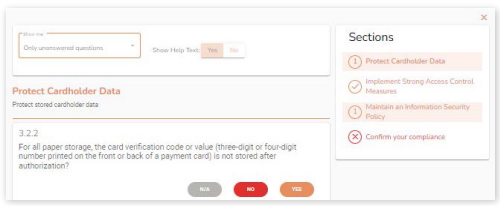
Complete the remaining questions. Your remaining unanswered questions will be highlighted for completion (such as confirming that card verification codes/values are not stored after authorization under section 3.2.2).
-
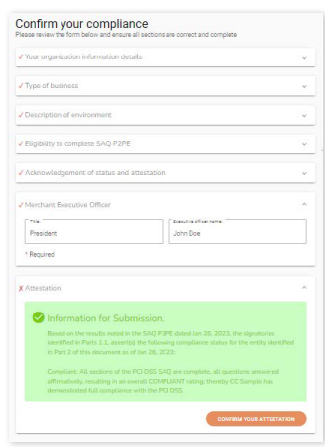
Attest and finalize. Click Confirm your compliance, review your organization details, enter your name and title, and confirm your attestation. You are now compliant!
Questions?
If you have any questions about completing either the SAQ or the Vulnerability Scan, please reach out to VikingCloud, CardConnect's trusted PCI compliance partner, at 1-877-257-0239 or via email at ccsupport@securetrust.com.